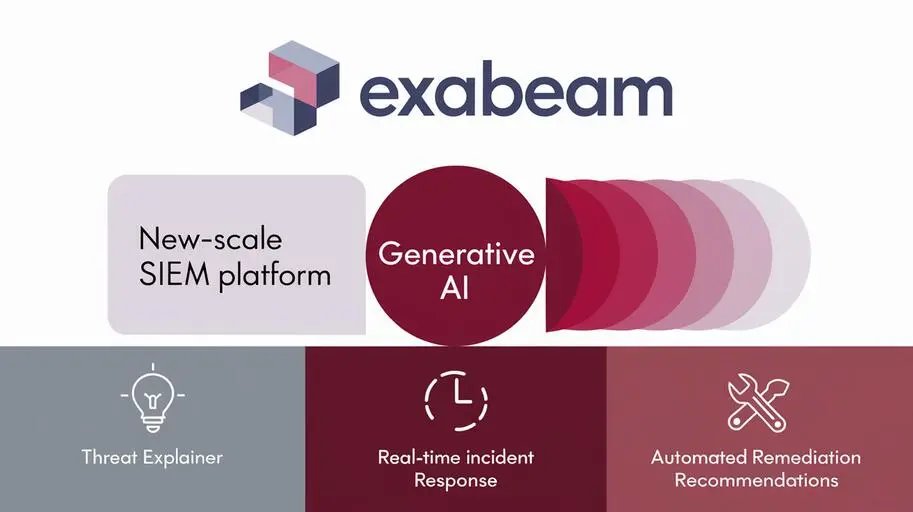

SOC analysts face a constant stream of threats requiring rapid response. Manual processes and overload with routine tasks lead to delays and increase the risk of successful attacks. Exabeam New-Scale SIEM provides powerful SOAR tools to automate incident response, reducing response time and freeing analysts to solve complex problems.
New-Scale SIEM in Action: Automated Response Scenarios (SOAR) with Exabeam
In today’s digital environment, where cyber threats are becoming increasingly sophisticated and numerous, organizations need to respond to security incidents quickly and effectively. Security Operations Centers (SOCs) play a key role in detecting, analyzing, and remediating threats. However, manual processes, analyst overload with routine tasks, and insufficient integration between various security tools often lead to slower incident response and an increased risk of successful attacks. In this context, incident response automation solutions, such asSOAR, are becoming critical to improving efficiency and reducing risks.
What is SOAR and why is it important for SOC
SOAR (Security Orchestration, Automation and Response) is a technology that allows organizations to automate and orchestrate security incident response processes.SOAR integrates various security tools, such as SIEM (Security Information and Event Management), EDR (Endpoint Detection and Response), Threat Intelligence Platforms, and others, into a single system, allowing you to automate routine tasks, coordinate actions between different teams, and reduce MTTR (Mean Time To Resolution). New-Scale SIEM from Exabeam provides built-in SOAR capabilities, enabling organizations to effectively automate incident response without the need to deploy and integrate separate SOAR platforms.
Key benefits of SOAR for SOC:
- Automation of routine tasks: SOAR allows you to automate a wide range of routine tasks, such as collecting and analyzing incident data, notifying stakeholders, blocking malicious IP addresses, and isolating compromised endpoints.
- Orchestration of response processes: SOAR allows you to orchestrate incident response processes, coordinating actions between different teams and security tools.
- Reduction of MTTR: Automation and orchestration significantly reduce the time required to detect, analyze, and resolve incidents.
- Improving the efficiency of SOC analysts: By freeing analysts from routine tasks, SOAR allows them to focus on more complex and important tasks, such as analyzing complex threats and developing new protection strategies.
Step-by-step guide to creating SOAR playbooks in Exabeam
Exabeam New-Scale SIEM offers an intuitive graphical interface for creating and configuring SOAR playbooks, allowing analysts to quickly and easily automate incident response processes.
Defining a response scenario
The first step in creating a SOAR playbook is to define the response scenario that needs to be automated. Scenarios can vary: detection of a phishing email, detection of malware on an endpoint, suspicious account activity, etc. It is important to clearly define the steps required to respond to the selected scenario. For example, the following steps may be required for a phishing email detection scenario:
- Obtaining information about the phishing email (sender, recipient, subject, content).
- Analyzing attachments and links in the email for malicious content.
- Blocking the email sender.
- Deleting the email from recipients’ mailboxes.
- Sending a notification to recipients about the phishing email.
- Isolating compromised hosts.
Using the Exabeam interface to create a playbook
Exabeam provides a user-friendly graphical interface for creating playbooks. To create a new playbook, you must:
- Go to the SOAR section in the Exabeam interface.
- Click the “Create Playbook” button.
- Specify the name and description of the playbook.
- Select a trigger that will launch the playbook (for example, an alert received from Exabeam SIEM).
After creating the playbook, you can add steps (actions) to the playbook using the graphical editor. Various types of steps are available, such as:
- Retrieving data from Exabeam SIEM or other sources.
- Performing actions in other security systems (for example, blocking an IP address in a firewall).
- Sending notifications by email or to other messaging systems.
- Performing logical operations (for example, checking conditions, loops).
Configuring Playbook Steps
Each playbook step must be configured by specifying the parameters required to perform the action. For example, for an IP address blocking step, you must specify the IP address to block and the firewall in which to perform the blocking. Integration with security tools is carried out using ready-made connectors provided by Exabeam. Various tools and APIs provided by Exabeam and other security solution providers can be used to automate actions. For example:
- IP address blocking: Exabeam can integrate with firewalls from various manufacturers (for example, Palo Alto Networks, Check Point) to automatically block IP addresses detected as malicious.
- Endpoint Isolation: Exabeam can integrate with EDR (Endpoint Detection and Response) solutions to isolate compromised endpoints, preventing the spread of malware.
- Sending a notification: Exabeam can send notifications via email, Slack, or other messaging systems to inform stakeholders about incidents.
Testing and debugging the playbook
After creating and configuring the playbook, you need to test it to make sure it works correctly. Exabeam provides tools for testing playbooks, allowing you to simulate the occurrence of an incident and check whether the playbook responds correctly to it. During testing, you need to identify and fix errors in the playbook. Exabeam provides tools for debugging playbooks, allowing you to view step execution logs and identify the causes of errors.
Examples of playbooks for common scenarios
- Phishing attack:
The playbook automates the analysis of received messages, blocking senders, notifying users, and deleting emails from mailboxes. - Malware detection:
Automatic isolation of an infected endpoint, scanning the network for other infected systems, sending reports to analysts. - Suspicious account activity:
Account lockout, password reset, account activity investigation. - Using TDIR:
TDIR (Threat Detection, Investigation and Response) allows you to automate the entire process from threat detection to elimination. Exabeam SOAR can be integrated with TDIR to automate actions to collect and analyze data, conduct investigations, and eliminate threats.

Integrating Exabeam SOAR with other security tools
Exabeam SOAR can be integrated with a wide range of other security tools, such as SIEM, EDR, Firewall, Threat Intelligence Platforms, and others. Integration with security tools is carried out using ready-made connectors provided by Exabeam, or using the API. For example, integration with SIEM allows you to automatically launch SOAR playbooks when you receive certain alerts from SIEM. Integration with EDR allows you to automatically isolate compromised endpoints when malware is detected. Company N reduced the time to make changes to security policies by 70% thanks to Exabeam SOAR automation.
Benefits of using Exabeam SOAR
Using Exabeam SOAR provides organizations with a number of significant benefits, including:
- Reducing MTTR: Automation and orchestration significantly reduce the time required to detect, analyze, and resolve incidents.
- Improving the efficiency of SOC analysts: By freeing analysts from routine tasks, SOAR allows them to focus on more complex and important tasks.
- Automatic threat elimination: SOAR allows you to automatically eliminate a wide range of threats, such as phishing emails, malware, and suspicious account activity.
- Reducing the volume of routine SOC tasks: Automation reduces the volume of routine tasks performed by SOC analysts, freeing up their time for other tasks.
- Improving the overall security of the organization: Automation and orchestration improve incident response effectiveness and reduce the risk of successful attacks.
Exabeam SOAR helps organizations move from a reactive to a proactive approach to security, allowing them to identify and eliminate threats before they cause damage.
Conclusion
Automating incident response processes is critical for modern Cyber Security. Exabeam SOAR provides powerful tools for automating and orchestrating incident response processes, allowing organizations to improve the efficiency of SOC analysts, reduce MTTR, and improve overall security. Contact us, to get individual consultation on implementation.
Exabeam New-Scale SIEM with SOAR capabilities is an effective solution for organizations looking to improve efficiency and automate incident response. Explore the capabilities of Exabeam SOAR and implement it in your organization to improve the level of security and efficiency of your SOC.
Frequently Asked Questions about Exabeam SOAR and Incident Response Automation
What is SOAR and why is it important for SOC?
SOAR (Security Orchestration, Automation, and Response) is a technology that allows you to automate and orchestrate security incident response processes. This is important for SOC as it helps to integrate security tools, automate routine tasks, and reduce incident response time (MTTR).
What are the benefits of Exabeam SOAR?
Exabeam SOAR allows you to automate routine tasks, orchestrate response processes, reduce MTTR, increase the efficiency of SOC analysts, and automate threat remediation.
How to create a SOAR playbook in Exabeam?
Exabeam has an intuitive graphical interface. You need to define a response scenario, go to the SOAR section, create a playbook, specify the name, description, trigger, and then add steps (actions) to the playbook using the graphical editor.
What steps can be added to an Exabeam SOAR playbook?
Various types of steps are available, such as retrieving data from Exabeam SIEM or other sources, performing actions in other security systems, sending notifications, and performing logical operations.
How does Exabeam SOAR integrate with other security tools?
Exabeam SOAR integrates with SIEM, EDR, Firewall, Threat Intelligence Platforms, and other security tools using pre-built connectors or APIs.
What are some examples of SOAR playbooks that can be used?
Examples: playbook for phishing attacks (blocking senders, notifying users), malware detection (isolating endpoint), suspicious account activity (blocking account).
How to test and debug an Exabeam SOAR playbook?
Exabeam provides tools for testing playbooks, allowing you to simulate the occurrence of an incident and verify that the playbook responds correctly to it. There are also tools for debugging playbooks, allowing you to view the execution logs of steps and identify the causes of errors.
What is TDIR and how is it related to Exabeam SOAR?
TDIR (Threat Detection, Investigation and Response) allows you to automate the process from threat detection to remediation. Exabeam SOAR can be integrated with TDIR to automate data collection and analysis, conduct investigations, and take actions to eliminate threats.