
In the face of a constantly growing number of cyber threats, effective detection and response to incidents becomes a critical task for any organization. New-Scale SIEM and Fusion provide SOC analysts with powerful tools for quickly identifying, investigating, and resolving threats.
Receiving and Initially Reviewing an Alert
After logging into the system, the first thing an analyst sees is the console with current alerts. These alerts are generated from various data sources, such as logs, network traffic, and user activity data. It is important to understand how to interpret this information in order to prioritize efforts.

Example of New-Scale SIEM interface with an alert
Analyzing Alert Parameters
Each alert contains a number of key parameters that help the analyst understand the context and potential impact of the incident. These include:
- Severity: Determines the level of threat (e.g., critical, high, medium, low).
- Type: Describes the nature of the attack (e.g., phishing, malware, brute-force).
- Affected Assets: Indicates the systems, devices, or data that may be compromised.
- Users: Identifies the accounts that may have been involved in the incident.
The analyst should immediately assess the urgency and potential impact of the incident based on these parameters. For example, a critical alert about phishing targeting administrator accounts requires immediate response.
In-depth Investigation Using New-Scale SIEM and Fusion
After the initial assessment of the alert, the next step is an in-depth investigation. New-Scale SIEM and Fusion provide powerful tools for data visualization and analysis, allowing analysts to track the chain of events and identify the root cause of the incident.

Timeline of events in New-Scale SIEM
Using the Event Timeline
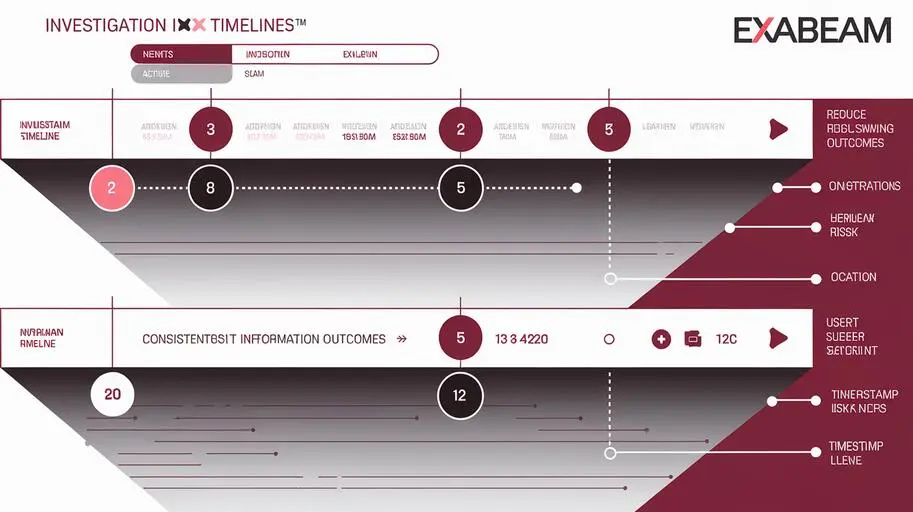
The event timeline allows you to visualize the activity associated with the incident in chronological order. This helps analysts understand the sequence of actions taken by the attacker and identify anomalies.
Example Queries for Obtaining Additional Information
You can use queries to obtain additional information about an asset, user, or type of activity. Here are some examples:
- Search for all events related to a specific user: user.username == “john.doe”
- Search for all login attempts on a specific host: event.category == “authentication” AND host.hostname == “server1”
- Search for all events related to a specific IP address: source.ip == “192.168.1.100” OR destination.ip == “192.168.1.100”
These queries can be adapted to specific scenarios and analyst needs.
Behavior Analysis to Identify Anomalies
Behavior analysis allows you to identify anomalies and deviations from normal activity. New-Scale SIEM and Fusion use machine learning to create baseline profiles of user and asset behavior, and automatically generate anomaly alerts.
For example, the system may detect that a user who normally works from 9:00 AM to 6:00 PM suddenly starts actively working at 3:00 AM. This may indicate account compromise.
Automated Investigation
New-Scale SIEM and Fusion offer automatic investigation functionality, which allows the system to automatically collect and analyze data related to the incident. This significantly speeds up the investigation process and allows analysts to focus on the most important aspects.
Tracking the Kill Chain
New-Scale SIEM and Fusion allow you to track the kill chain, i.e., the sequence of actions taken by an attacker to achieve their goal. This helps analysts understand the attacker’s tactics, techniques, and procedures (TTPs) and prevent further attacks.
Visualizing Relationships Between Events and Entities
Visualizing the relationships between events and entities allows analysts to see the full picture of the incident and identify hidden connections. New-Scale SIEM and Fusion provide tools for creating relationship graphs that show the relationships between users, assets, events, and other entities.

Incident Response and Threat Remediation
After completing the investigation, the next step is incident response and threat remediation. New-Scale SIEM and Fusion provide incident response automation (TDIR) capabilities, allowing analysts to quickly and effectively neutralize threats.

Incident Management Interface in New-Scale SIEM
Example Response Actions
Based on the information collected, the analyst can take the following response actions:
- User blocking: Prevents further access to the system by the attacker.
- Host isolation: Disconnects the compromised host from the network to prevent the spread of the threat.
- Password change: Prevents the use of a compromised password.
- Run a virus scan: Detects and removes malware.
Incident Response Automation (TDIR)
New-Scale SIEM and Fusion allow you to automate many of these actions, which significantly reduces response time and increases efficiency. For example, the system can automatically block a user if it detects multiple failed login attempts from different IP addresses.
Confirming Threat Remediation
After taking response actions, the analyst must ensure that the threat is eliminated and that the system is in a secure state. This may include checking logs, scanning for viruses, and testing the system for vulnerabilities.
Closing the Investigation
After confirming threat remediation, the analyst must record the completion of the investigation in the system. This includes documenting all actions taken during the investigation, as well as conclusions and recommendations for preventing recurrence of the incident.
Minimizing False Positives
False positives can significantly reduce the effectiveness of the SOC, distracting analysts from real threats. New-Scale SIEM and Fusion provide tools to minimize false positives, such as correlation rules and behavior model learning.
Configuring Correlation Rules and Thresholds
Correlation rules allow you to combine multiple events into a single alert, which reduces the number of false positives. Thresholds allow you to filter alerts based on their severity or frequency.
For example, you can configure a correlation rule that generates an alert only if a user makes multiple failed login attempts within a short period of time.
Behavior Model Training
Behavior model training allows the system to learn the normal behavior of users and assets, and automatically filter alerts that do not match that behavior. This significantly reduces the number of false positives and allows analysts to focus on the most suspicious activity.
Conclusion
New-Scale SIEM and Fusion provide SOC analysts with powerful tools for quickly and effectively investigating incidents. This step-by-step guide is a starting point and can be adapted to the specific scenarios and needs of your organization.
To learn more about how New-Scale SIEM and Fusion can help your organization protect itself from cyber threats, contact us for a demo or consultation.
Frequently Asked Questions on Incident Investigation with New-Scale SIEM and Fusion
What are New-Scale SIEM and Fusion, and what role do they play in cybersecurity?
New-Scale SIEM and Fusion are powerful tools designed for the rapid detection, investigation, and remediation of cyber threats. They provide SOC analysts with the necessary capabilities to effectively respond to incidents and protect the organization.
How does an analyst receive and review alerts in New-Scale SIEM?
After logging in, the analyst sees a console with current alerts generated from various data sources. It is important to correctly interpret this information to prioritize efforts when investigating incidents.
What key parameters does an incident alert contain, and how should they be evaluated?
An incident alert contains information about the severity, type of attack, affected assets, and users. The analyst should assess the urgency and potential damage based on these parameters to prioritize tasks.
How to use the event timeline when investigating incidents?
The event timeline allows you to visualize activity related to the incident in chronological order. This helps to understand the sequence of actions of the attacker and identify anomalies.
What types of queries can be used to obtain additional information about an incident?
You can use queries to search for events related to a specific user, host, or IP address. Examples of queries: user.username == "john.doe", event.category == "authentication" AND host.hostname == "server1", source.ip == "192.168.1.100" OR destination.ip == "192.168.1.100".
How does behavior analysis help identify anomalies in New-Scale SIEM and Fusion?
Behavior analysis allows you to detect deviations from normal activity. The system uses machine learning to create baseline profiles of user and asset behavior, and generates alerts about anomalies, such as unexpected user activity at night.
What actions can be taken to respond to an incident and eliminate the threat?
Response actions include blocking a user, isolating a host, changing a password, and running a virus scan. New-Scale SIEM and Fusion allow you to automate many of these actions.
How to minimize false positives in New-Scale SIEM and Fusion?
To minimize false positives, correlation rules are used, which combine several events into one alert, and behavioral model training, which allows the system to learn the normal behavior of users and assets.