
Preparing for Threat Hunting with New-Scale Fusion
Effective Threat Hunting is impossible without proper preparation. This stage includes collecting and integrating the necessary data, configuring the platform, and prioritizing hunting efforts.Necessary Data and Integrations
For successful Threat Hunting in New-Scale Fusion, it is necessary to ensure the receipt of the following types of data:- Logs: System, application, and security logs (firewalls, IDS/IPS, antivirus, etc.).
- Network Traffic: Data about network connections, protocols, traffic volumes between systems. Network traffic analysis allows you to identify suspicious communications and anomalous activity.
- Endpoints: Information about processes running on endpoints, installed software, changes to the file system and registry.
- Threat Intelligence: Data about known threats, indicators of compromise (IOCs), malicious IP addresses, and domains.
Platform Configuration for Threat Hunting
For optimal work with Threat Hunting data in New-Scale Fusion, you need to perform the following steps:- Correlation Rules: Configure correlation rules to identify relationships between events from different data sources. This allows you to detect complex attacks consisting of several stages.
- Data Normalization: Ensure data normalization to simplify analysis and search. Normalization brings data from different sources into a uniform format, making it easier to create queries and correlation rules.
- Alert Configuration: Create alerts to automatically notify you of suspicious activity. Alerts should be accurate enough to avoid false positives.
Prioritizing Threat Hunting Efforts
Determine which assets and attack scenarios are most important to your organization. Consider the following factors:- Critical Assets: Identify the systems and data that are most important to the business.
- Most Likely Threats: Assess the risks associated with different types of attacks and identify the most likely scenarios.
- Regulatory Requirements: Consider the requirements of regulators and security standards.
Threat Hunting Methodologies with New-Scale Fusion
There are various Threat Hunting methodologies. New-Scale Fusion provides tools and capabilities to support any of them, but the most common are Hypothesis-Driven Hunting, Data-Driven Hunting, and Intelligence-Driven Hunting.Hypothesis-Driven Hunting
Hypothesis-Driven Hunting is a method based on formulating hypotheses about possible attacks and then testing these hypotheses by analyzing data. Proactive threat hunting begins with an assumption about how an attacker might act on your network. Examples of hypotheses:- "Suppose an attacker is trying to establish persistence in the system by adding Windows services."
- "Suppose an attacker is using PowerShell to download and execute malicious code."
- "Suppose an attacker is performing lateral movement using compromised credentials."
Example of Hypothesis Testing
Consider the hypothesis: "Suppose an attacker is trying to establish persistence in the system by adding Windows services." To test this hypothesis in New-Scale Fusion, you can use the following query (the syntax example may vary depending on the data sources used and the platform configuration): event_type=windows_event AND event_id=4697 AND process_name!="services.exe" | table timestamp, user, host, service_name, process_name, image_path This query looks for Windows service creation events (event_id=4697) where the parent process is not "services.exe" (the normal process for creating services). An unusual parent process may indicate an attacker's attempt to establish persistence in the system. The query results must be analyzed to determine which services were created, by which user, and from which host. Special attention should be paid to services with unusual names or paths to executable files. It is also useful to compare these events with other data, such as network traffic and authentication logs, to get a more complete picture.Data-Driven Hunting
Data-Driven Hunting is based on analyzing data to identify anomalies and deviations from normal behavior. Detecting hidden attacks requires a deep understanding of normal activity on your network. New-Scale Fusion provides behavioral analysis capabilities to detect anomalies. The platform automatically learns the behavior of users, systems, and network devices, creating basic profiles of normal activity.Example of Anomaly Detection
Consider the example: Detecting an unusually large number of failed login attempts for a specific account or IP address. This may indicate a brute-force attack. To search for such events in New-Scale Fusion, you can use the following query: event_type=authentication AND status=failure | stats count by user, src_ip | where count > 100 | table user, src_ip, count This query searches for authentication events with a failed status. It then groups the events by user and IP address and counts the number of failed attempts. If the number of failed attempts exceeds a specified value (in this case, 100), the results are displayed in a table. It is important to understand that not all anomalies are malicious. Each anomaly must be carefully investigated to determine its cause and potential threat.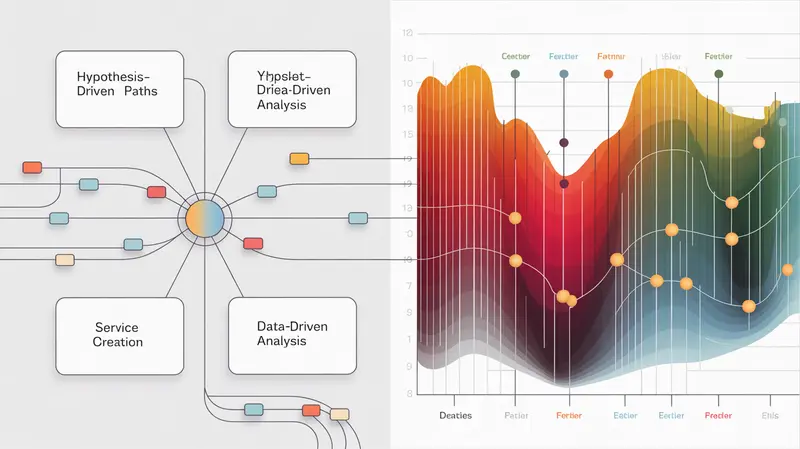
Intelligence-Driven Hunting
Intelligence-Driven Hunting uses threat intelligence (Threat Intelligence) data to search for known threats on your network. This data may include indicators of compromise (IOCs), information about malicious campaigns, and TTPs. New-Scale Fusion allows you to integrate threat intelligence data from various sources, such as:- Commercial Threat Intelligence Feeds
- Open Source Threat Intelligence (e.g., VirusTotal, AlienVault OTX)
- Internal Security Incident Data
Example of Using Threat Intelligence Data
Consider the example: Searching for indicators of compromise (IOCs) from received threat intelligence feeds in New-Scale Fusion data. Suppose you received a threat intelligence feed containing a list of malicious IP addresses. You can create a rule in New-Scale Fusion that will alert on any attempts to connect to these IP addresses. Example rule: event_type=network_traffic AND dest_ip IN ( "1.2.3.4", "5.6.7.8", "9.10.11.12" ) | alert "Detected connection to a known malicious IP address" This rule looks for network traffic events where the destination IP address matches one of the IP addresses specified in the threat intelligence feed. If such an event is detected, an alert is generated. It is important to regularly update the threat intelligence data to ensure the rules and alerts are up to date. It is also useful to compare the threat intelligence data with other data, such as authentication logs and endpoint logs, to get a more complete picture.Examples of Threat Hunting Scenarios with New-Scale Fusion
Let's look at a few specific Threat Hunting scenarios that can be implemented with New-Scale Fusion.Scenario 1: Lateral Movement Hunting
Lateral movement is a technique used by attackers to move between systems within a network after initial compromise. The goal of lateral movement is to gain access to critical assets and data. Signs of lateral movement:- Authentication Anomalies: Unusual accounts used to log in to the system, logging in from unusual IP addresses, or at unusual times.
- Suspicious Network Traffic: Unusual network connections between systems, using protocols that are not normally used for inter-system communication.
- Running Unusual Processes: Running processes on hosts where these processes do not normally run, or running processes with unusual command-line parameters.
- Authentication Analysis: Look for anomalies in authentication logs. For example, you can use the following query: event_type=authentication AND ( user!="domainadministrator" AND user!="SYSTEM" ) | stats count by user, dest_host | where count > 5 | table user, dest_host, count This query looks for users who have logged on to several different hosts.
- Network Traffic Analysis: Look for unusual network connections between systems. For example, you can use the following query: event_type=network_traffic AND bytes > 1000000 AND dest_port IN (135, 445) | stats sum(bytes) by src_host, dest_host, dest_port | table src_host, dest_host, dest_port, sum This query looks for network traffic with a large amount of data transferred to ports often used for lateral movement (135 and 445).
- Search for Unusual Processes: Look for processes running on different systems. For example, you can use the following query: event_type=process_creation AND ( process_name="psexec.exe" OR process_name="wmiprvse.exe" ) | table timestamp, user, host, process_name, command_line This query searches for the launch of processes often used for lateral movement (psexec.exe and wmiprvse.exe).
Scenario 2: Detecting Supply Chain Attacks
Supply chain attacks are attacks aimed at compromising software or hardware used by your organization. Attackers can embed malicious code in legitimate software or hardware that is then distributed to users. Signs of a supply chain attack:- Running New Processes: After installing a software update, new, unexpected processes are launched.
- Network Connections to Unusual Domains: The software establishes network connections with domains that were not previously used.
- Changes to System Configuration: The software update changes the system configuration, adding new services or changing existing settings.
- Monitoring New Processes: Look for new processes running after installing a software update. For example, you can use the following query: event_type=process_creation AND timestamp > last_software_update_time | table timestamp, user, host, process_name, command_line This query searches for all processes launched after the last software update.
- Analyzing Network Connections: Look for network connections to unusual domains. For example, you can use the following query: event_type=network_traffic AND dest_domain NOT IN (known_domains) | table timestamp, src_host, dest_domain, dest_port This query searches for network connections to domains that are not on the list of known and trusted domains.
- Analyzing Changes in System Configuration: Look for changes in the system configuration, such as adding new services or changing existing settings. For example, for Windows you can search for events with event_id = 4702 (A scheduled task was updated).
Scenario 3: Identifying Account Compromise
Account compromise is the use of compromised credentials for unauthorized access to systems and data. Attackers can gain access to credentials through phishing, password guessing, or exploiting software vulnerabilities. Signs of account compromise:- Unusual Login Time: The account is used to log in to the system at an unusual time, such as at night or on weekends.
- Unusual Login Geography: The account is used to log in to the system from an unusual geographic location.
- Using Unusual Devices or Applications: The account is used to log in to the system from devices or applications that are not normally used.
- Analyzing Login Time: Look for unusual login times. For example, you can use the following query: event_type=authentication AND ( hour < 8 OR hour > 18 ) AND weekday IN ("Saturday", "Sunday") | table timestamp, user, host, src_ip This query searches for logins to the system during non-working hours (before 8 am and after 6 pm) and on weekends.
- Analyzing Login Geography: Look for logins to the system from an unusual geographic location. To do this, you need to connect enrichment with geo-data. For example: event_type=authentication | geoip src_ip | where country != user_home_country | table timestamp, user, host, src_ip, country This query requires data about the user's home country.
- Analyzing Used Devices and Applications: Look for the use of unusual devices and applications. To do this, you need to collect information about the user agent. event_type=authentication | stats count by user, user_agent | where count < 2 | table timestamp, user, host, src_ip, user_agent This query will show accounts using rare user agents.
Tools and Queries for Threat Hunting in New-Scale Fusion
New-Scale Fusion provides a wide range of tools and capabilities for Threat Hunting, including searching, filtering, correlating, and visualizing data. Examples of frequently used queries:- Searching for events by keyword: event_type=* AND keyword="malware" | table timestamp, event_type, host, message
- Filtering events by type and source: event_type=windows_event AND source="Security" | table timestamp, event_id, user, host, message
- Correlating events from different sources: event_type=authentication AND status=failure | correlate event_type=firewall AND action=deny ip=src_ip | table timestamp, user, src_ip, dest_ip, dest_port
- Use specific filters: The more specific the query, the faster it will run and the fewer false positives there will be.
- Use indexed fields: Queries that use indexed fields run faster.
- Limit the time interval: Limit the query time interval to the necessary minimum.
Documenting and Responding to Threat Hunting Results
It is important to document the Threat Hunting process and the results obtained. This allows you to track progress, share knowledge, and improve Threat Hunting methodologies. Recommendations for documenting:- Describe the purpose of the Threat Hunting and hypotheses.
- List the data sources and queries used.
- Describe the analysis results and conclusions.
- Indicate the actions taken and recommendations.
Conclusion
Threat Hunting is an important component of a modern cybersecurity strategy. New-Scale Fusion provides powerful tools and capabilities for proactive threat hunting, anomaly detection, and incident response. Regularly improve your Threat Hunting skills and adapt your methodologies to changing threats.Frequently Asked Questions on Threat Hunting with New-Scale Fusion
What is Threat Hunting and why is it important?
Threat Hunting is the proactive search for threats within an organization's network that may have bypassed traditional security systems. It is important because it allows for the detection and neutralization of hidden attacks before they cause significant damage.
What types of data are needed for effective Threat Hunting in New-Scale Fusion?
Effective Threat Hunting requires system and application logs, network traffic data, information about processes running on endpoints, and threat intelligence data.
What are the three main Threat Hunting methodologies that can be used with New-Scale Fusion?
With New-Scale Fusion, you can use Hypothesis-Driven Hunting, Data-Driven Hunting, and Intelligence-Driven Hunting.
How does Hypothesis-Driven Hunting help in finding threats?
Hypothesis-Driven Hunting allows analysts to formulate hypotheses about possible attacks and test them by analyzing data in New-Scale Fusion. This helps focus on specific threat scenarios and identify suspicious activity.
What is Data-Driven Hunting and how does New-Scale Fusion help in its implementation?
Data-Driven Hunting is the analysis of data to identify anomalies and deviations from normal behavior. New-Scale Fusion provides behavioral analysis capabilities and allows you to identify anomalies by automatically learning the behavior of users, systems, and network devices.
How can threat intelligence data be used in New-Scale Fusion for Threat Hunting?
New-Scale Fusion allows you to integrate threat intelligence data from various sources and use it to search for known threats on the network. For example, you can create rules that will alert you to attempts to connect to malicious IP addresses listed in threat intelligence feeds.
What signs of lateral movement can be searched for using New-Scale Fusion?
With New-Scale Fusion, you can look for authentication anomalies, suspicious network traffic, and the launch of unusual processes that may indicate lateral movement of attackers within the network.
Why is it important to document the Threat Hunting process and respond to its results?
Documenting Threat Hunting allows you to track progress, share knowledge, and improve methodologies. Responding to the results is necessary to neutralize detected threats and prevent repeated attacks. It is important to integrate Threat Hunting with incident response processes.